
Linux Mint – still one of the best Linux desktops
If you’ve been following the world of Open Source for a while, you know that Linux distributions often come and go. Trends shift toward radical new interfaces or “bleeding-edge” features that require a manual to understand. I still find good ole Linux Mint one of the best Linux desktop choices for daily use.
Yet, as we move through December 2025, one name continues to dominate the “Best for Beginners” and “Most Reliable” lists: Linux Mint.
With the recent success of Linux Mint 22.2 “Zara” and the Christmas release of 22.3 “Zena”, the Mint team has proven that you don’t need to reinvent the wheel to stay relevant. Here is why Linux Mint is still the best Linux desktop you can install today.
1. The Power of Linux Mint 22.2 “Zara”
Released earlier this year, version 22.2 (based on Ubuntu 24.04 LTS) solidified Mint as the go-to recommendation for Windows refugees. It brought:
-
Kernel 6.14 Support: Excellent hardware compatibility for the latest AMD Zen and Intel processors right out of the box.
-
Refined Security: A Software Manager that clearly distinguishes between verified and unverified Flatpaks, keeping your system safe.
-
Pipewire by Default: Ensuring your modern audio gear (Bluetooth headphones, XLR mics) works with zero configuration.
2. What’s New in Linux Mint 22.3 “Zena”
The latest point release, 22.3 “Zena”, is the “Christmas gift” of 2025 for the Linux community. It introduces some of the most requested features in years:
-
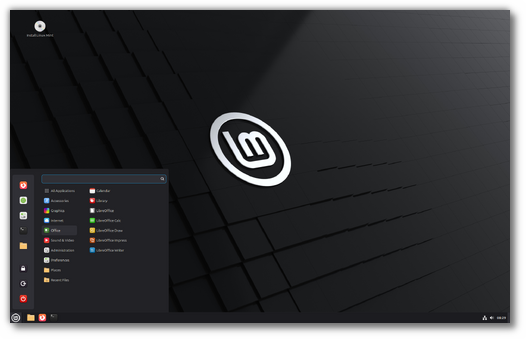
Redesigned Cinnamon 6.6 Menu: The application menu has been overhauled with symbolic icons for a cleaner, modern look. You can now toggle between full-color and symbolic styles to match your aesthetic.
-
Wayland Progress: For those looking toward the future, 22.3 brings significant improvements to Wayland-compatible keyboard handling and input methods, making it smoother than ever on modern display hardware.
-
Nemo “Pause” Buttons: A small but life-changing feature—you can now pause and resume file transfers in the Nemo file manager. No more starting a 50GB transfer over because you needed to prioritize your disk speed for a quick task.
-
Warpinator Texting: The built-in file-sharing tool, Warpinator, now supports text messaging between devices. It’s perfect for sending a quick link or instructions to the person receiving your files on the same network.
3. Performance That Resurrects Old Hardware
In an era where Windows 11 hardware requirements are forcing perfectly good PCs into landfills, Linux Mint is a breath of fresh air.
-
Efficiency: It’s common to see Mint idling at less than 1GB of RAM, whereas modern Windows often hovers around 4GB.
-
Lightweight Options: If Cinnamon is too heavy, the Xfce and MATE editions provide even faster performance for laptops from a decade ago.
4. Stability You Can Trust
Because the 22.x series is based on Ubuntu 24.04 LTS, your system is rock-solid.
-
LTS Strategy: Mint 22.3 will receive security updates until 2029.
-
Timeshift Integration: If something does go wrong, Mint’s built-in snapshot tool lets you roll your entire system back to a working state in minutes. In version 22.3, Timeshift even gains the ability to pause during snapshot creation!
5. A Sanctuary from “Enshittification”
Perhaps the most compelling reason to use Mint is what it doesn’t have:
-
No Ads or Tracking: No “suggested apps” in your start menu and no data harvesting.
-
No Forced Cloud Accounts: Your PC belongs to you. You don’t need a Microsoft or Google login just to reach your desktop.
-
No Forced Snaps: Unlike Ubuntu, Mint keeps apps like Firefox and Thunderbird as traditional
.debfiles for faster startup.
The Bottom Line
Linux Mint proves that “traditional” doesn’t mean “outdated.” By focusing on reliability, user privacy, and thoughtful quality-of-life improvements like file-transfer pausing, Mint remains the gold standard for a desktop operating system that just works, for new or advanced users.
Whether you’re moving from Windows or another Linux distro, Mint is the perfect landing spot for the new year.